TileDown

The PDF engine, in your browser

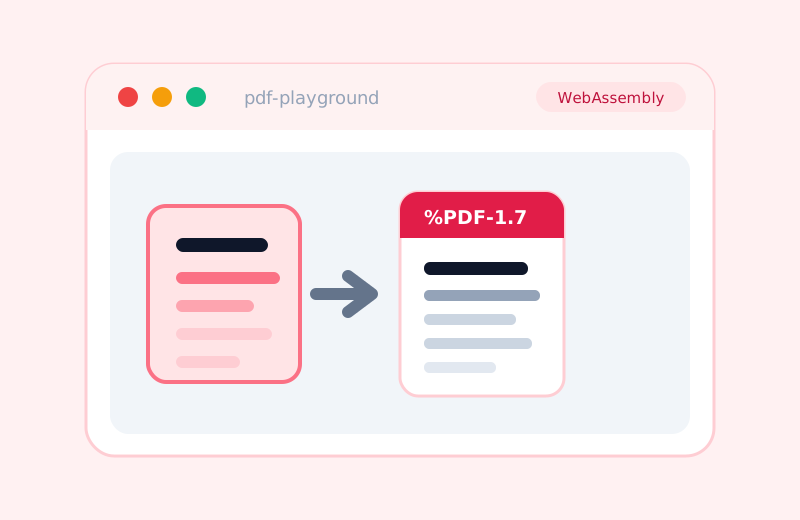
TileDown builds a typeset PDF of every article at build time with a pure-Swift engine. The same engine compiles to WebAssembly, so you can type Markdown and get a real PDF generated entirely in your browser, no server. Try the playground.

Every article on this site has a Download PDF link. That PDF is typeset at build time from the same Markdown source the HTML page comes from, by a pure-Swift engine. No headless browser, no print pipeline, no server doing the work.

The engine is just Swift, and Swift compiles to WebAssembly. So the exact same Markdown parser and PDF writer that runs during the build can also run in your browser, with no server at all.

Try it

Open the live PDF playground

Type Markdown and it renders a real PDF, live, in a WebAssembly sandbox in your tab. The bytes that come back start with %PDF-; you can preview them inline and download the file. It is the same code path as the build.

Its sibling, the math playground, does the same trick with the math engine: TeX in, SVG out.

Why this is a demo, not the default

The playground downloads about 18 MB of gzipped WebAssembly: the Swift runtime, Foundation, and the engine. That is heavy, and it is the point. You would never ship that to a reader to hand them a PDF. The site builds each PDF once, at build time, and serves a few kilobytes of static file. The playground makes the opposite choice, on purpose, so you can drive the engine yourself.

What actually runs in the sandbox

The same pipeline as the build, with nothing stripped out:

  1. parse the Markdown into a document tree

  2. lay out pages, paragraphs, lists, tables, and math with a Swift layout engine

  3. subset and embed fonts, and draw text and rules as PDF content streams

  4. write a complete, valid %PDF document, byte for byte

The engine is the standalone MarkdownPDF package, which shares the MathTypeset engine with the site’s math rendering. One Swift codebase covers build-time web, in-browser web, and print. The WebAssembly build is served from a branch so the binary never lands in the main repository.

The honest edges

In the browser there is no filesystem, so the playground uses the built-in base-14 fonts: Western text renders cleanly, math falls back to base-font glyphs rather than a full math font, and CJK is not there yet. Each of those is a font that has to be handed in as bytes, and that work is in progress in the engine. The point stands without them: a real Swift PDF engine, generating real PDFs, in a tab.

View Markdown source
index.md
---
title: The PDF engine, in your browser
date: 2026-06-03
description: TileDown builds a typeset PDF of every article at build time with a pure-Swift engine. The same engine compiles to WebAssembly, so you can type Markdown and get a real PDF generated entirely in your browser, no server. Try the playground.
tags: Swift, WebAssembly, PDF
---
# The PDF engine, in your browser

Every article on this site has a **Download PDF** link. That PDF is typeset at
build time from the same Markdown source the HTML page comes from, by a pure-Swift
engine. No headless browser, no print pipeline, no server doing the work.

The engine is just Swift, and Swift compiles to WebAssembly. So the exact same
Markdown parser and PDF writer that runs during the build can also run in your
browser, with no server at all.

## Try it

[**Open the live PDF playground**](/assets/pdf-playground.html)

Type Markdown and it renders a real PDF, live, in a WebAssembly sandbox in your
tab. The bytes that come back start with `%PDF-`; you can preview them inline and
download the file. It is the same code path as the build.

Its sibling, the [**math playground**](/assets/playground.html), does the same
trick with the math engine: TeX in, SVG out.

## Why this is a demo, not the default

The playground downloads about 18 MB of gzipped WebAssembly: the Swift runtime,
Foundation, and the engine. That is heavy, and it is the point. You would never
ship that to a reader to hand them a PDF. The site builds each PDF once, at build
time, and serves a few kilobytes of static file. The playground makes the opposite
choice, on purpose, so you can drive the engine yourself.

## What actually runs in the sandbox

The same pipeline as the build, with nothing stripped out:

1. parse the Markdown into a document tree
2. lay out pages, paragraphs, lists, tables, and math with a Swift layout engine
3. subset and embed fonts, and draw text and rules as PDF content streams
4. write a complete, valid `%PDF` document, byte for byte

The engine is the standalone [MarkdownPDF](https://github.com/mihaelamj/MarkdownPDF)
package, which shares the [MathTypeset](https://github.com/mihaelamj/MathTypeset)
engine with the site's math rendering. One Swift codebase covers build-time web,
in-browser web, and print. The WebAssembly build is served from a branch so the
binary never lands in the main repository.

## The honest edges

In the browser there is no filesystem, so the playground uses the built-in base-14
fonts: Western text renders cleanly, math falls back to base-font glyphs rather
than a full math font, and CJK is not there yet. Each of those is a font that has
to be handed in as bytes, and that work is in progress in the engine. The point
stands without them: a real Swift PDF engine, generating real PDFs, in a tab.